
Guide to self-designing Standee online used in events, conferences quickly on Penci
1/ Is designing a standee for events difficult?
You design using the Penci tool with a warehouse of hundreds of standee templates events will help you save design time, as you only need to choose a template and use it. With the flexible drag-and-drop tool, you will feel "professional like a designer" after completing the product in just a few minutes.
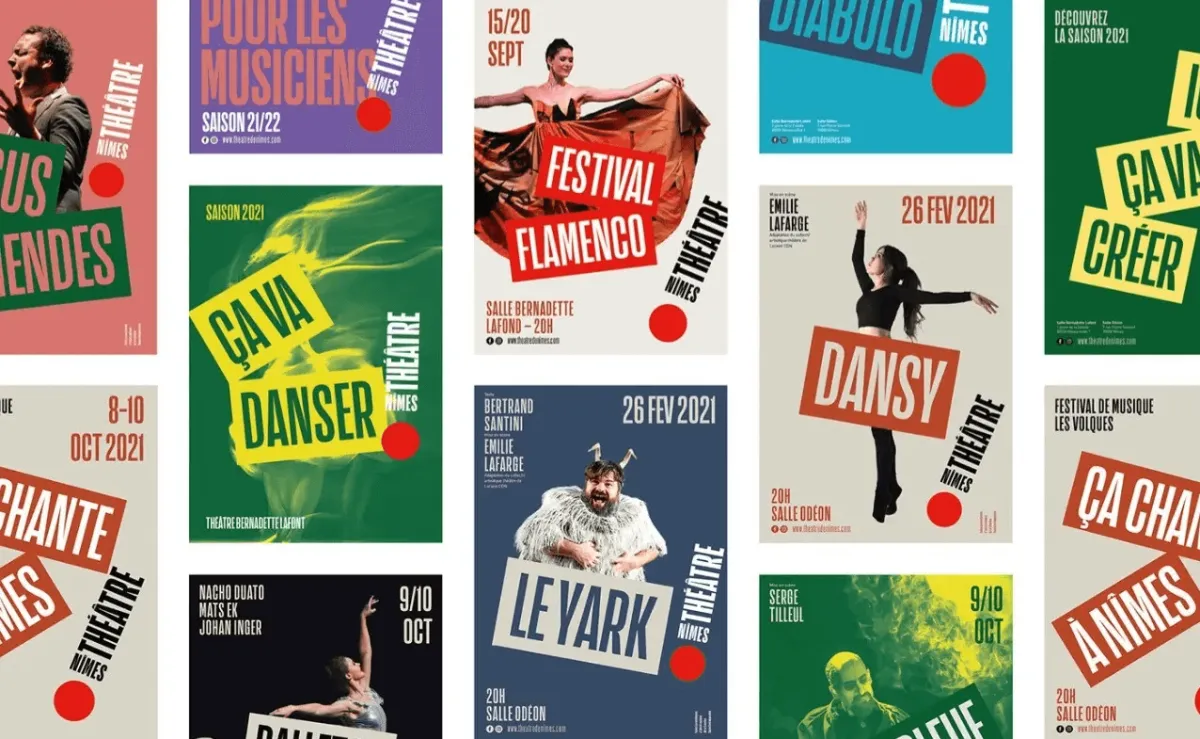
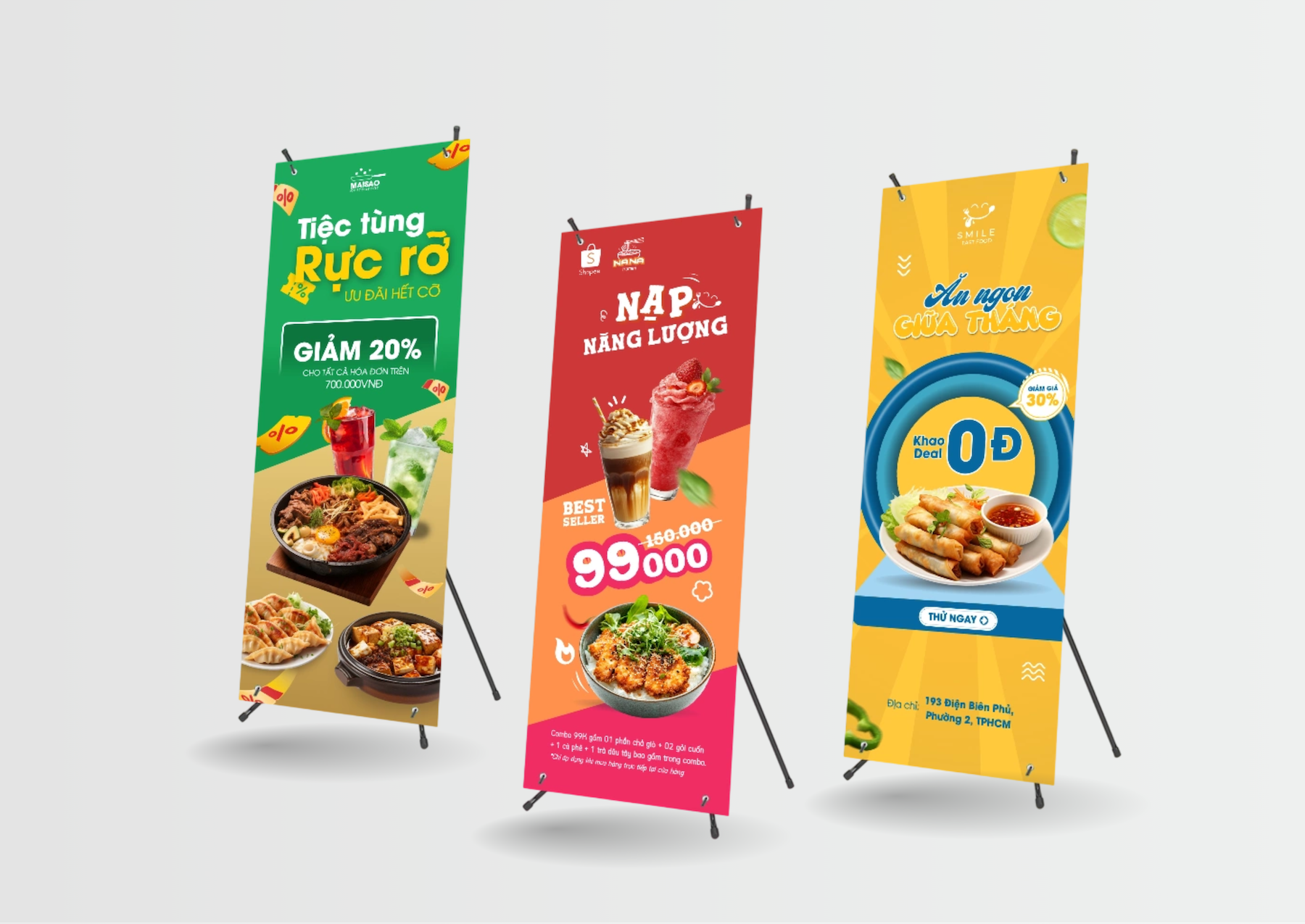 (Standee design template created from the free design tool Penci)
See more:
2/ Some effective standee design tips and impressions
- Under the content title, make sure to: Highlight the title to stand out, be concise and convey the information accurately in a few words.
- Clear and sharp images: Use high-quality images suitable for the event theme to create impressions with viewers.
- Colors and fonts should match the brand: Maintaining a consistent design style will help enhance brand recognition and make the standee professional, avoiding a "cheap look".
- Content layout, to ensure information: Make sure to include essential elements from text, images to logos arranged appropriately, so that viewers can quickly grasp the main information.
3/ Steps to design a standee using Penci
Step 1: Log in to Penci
Access the online design tools for Vietnamese users, log in with your Google account or Zalo to start "Create Design".
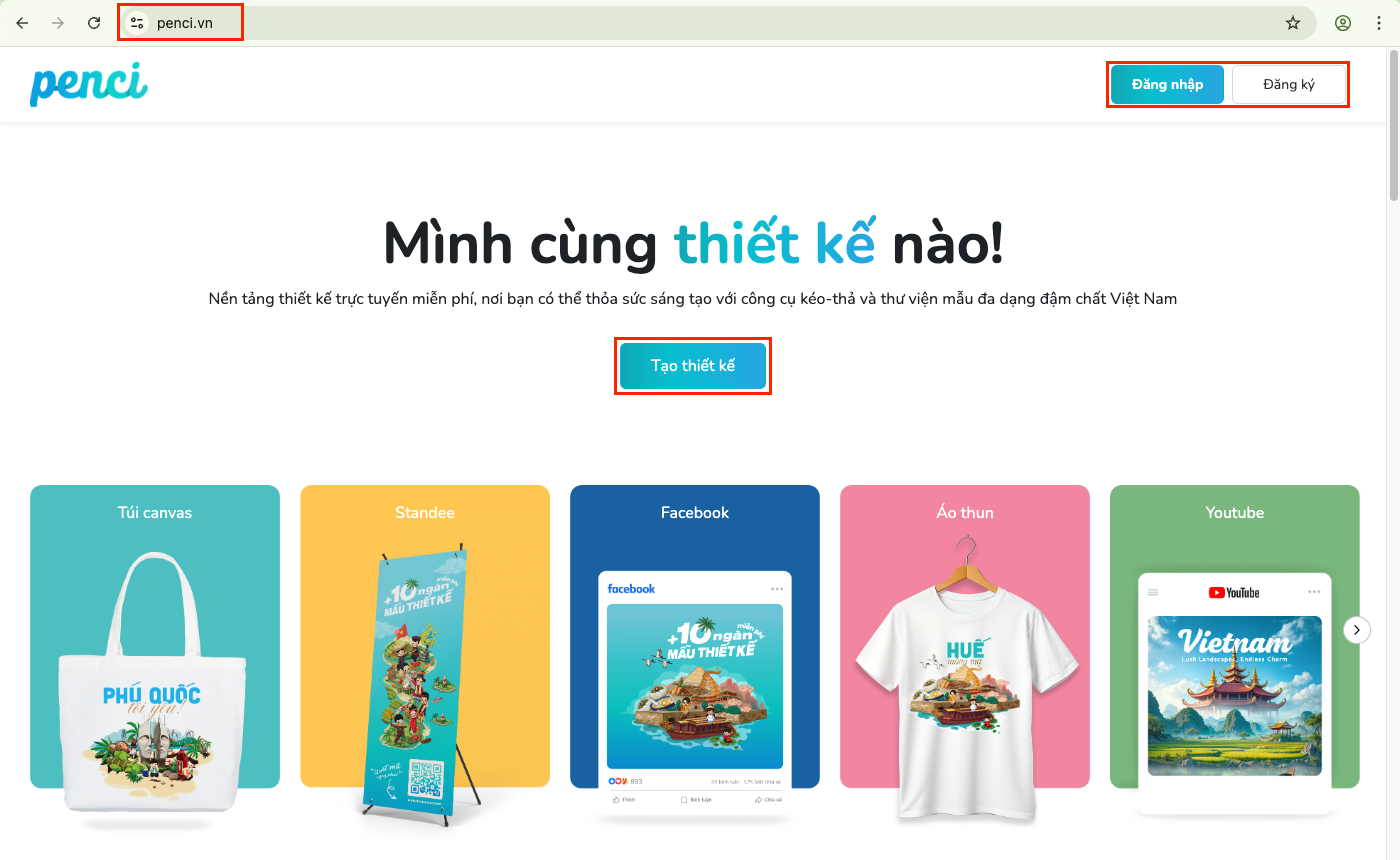 (Log in to Penci to design standees online for free)
Step 2: Search for the product you want to design
Type the keyword “Standee” in the search bar or select from the design category.
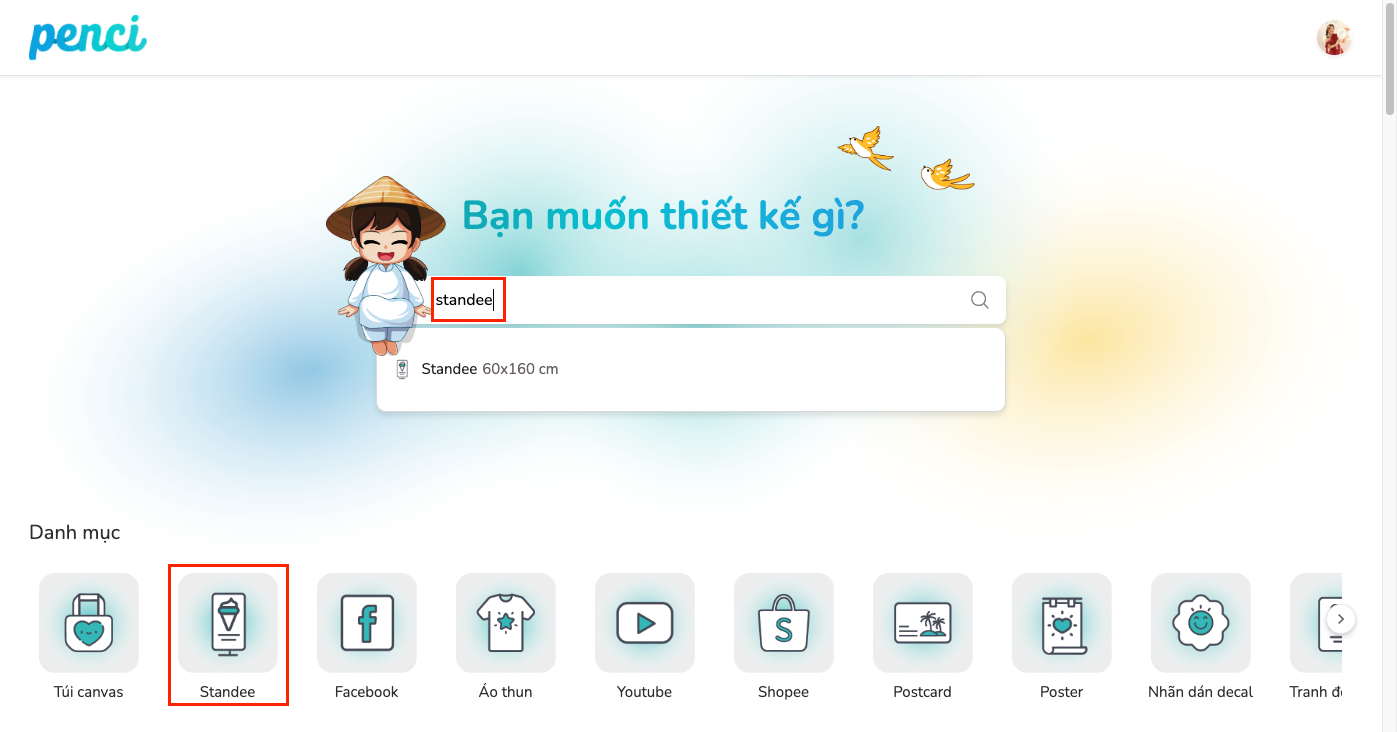 (Search for "Standee" to access standee template warehouse for events)
Step 3: Choose a Standee design template or create a new one
Select a pre-made template suitable from the library and click “Use this template”, or choose “Create new Standee” to start from scratch.
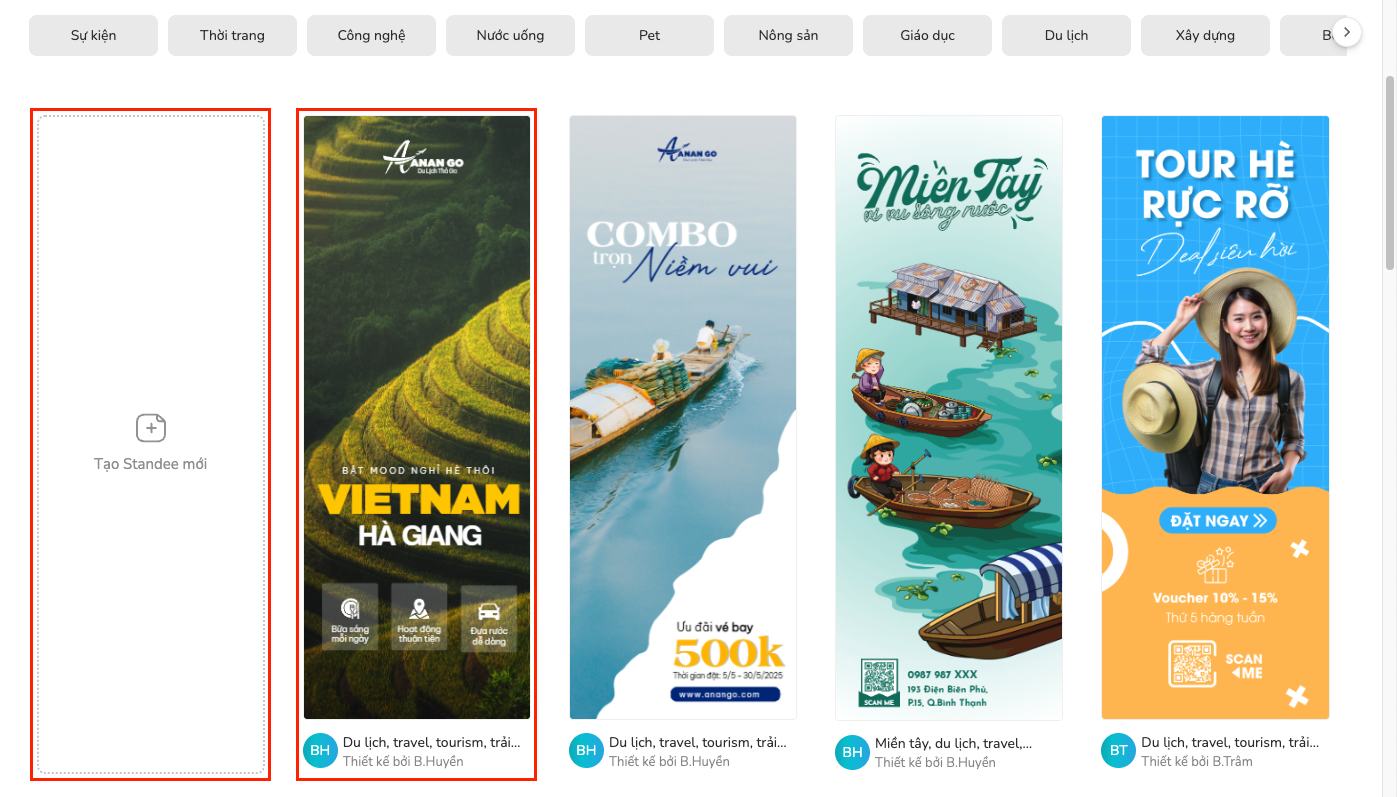
(Beautiful standee design templates and various options on the Penci interface)
Step 4: Edit the information on the Standee design template available
- Change content: title of the event, time, location... - Add images, logos, QR codes, contact information. - Adjust font style, color, size as desired.
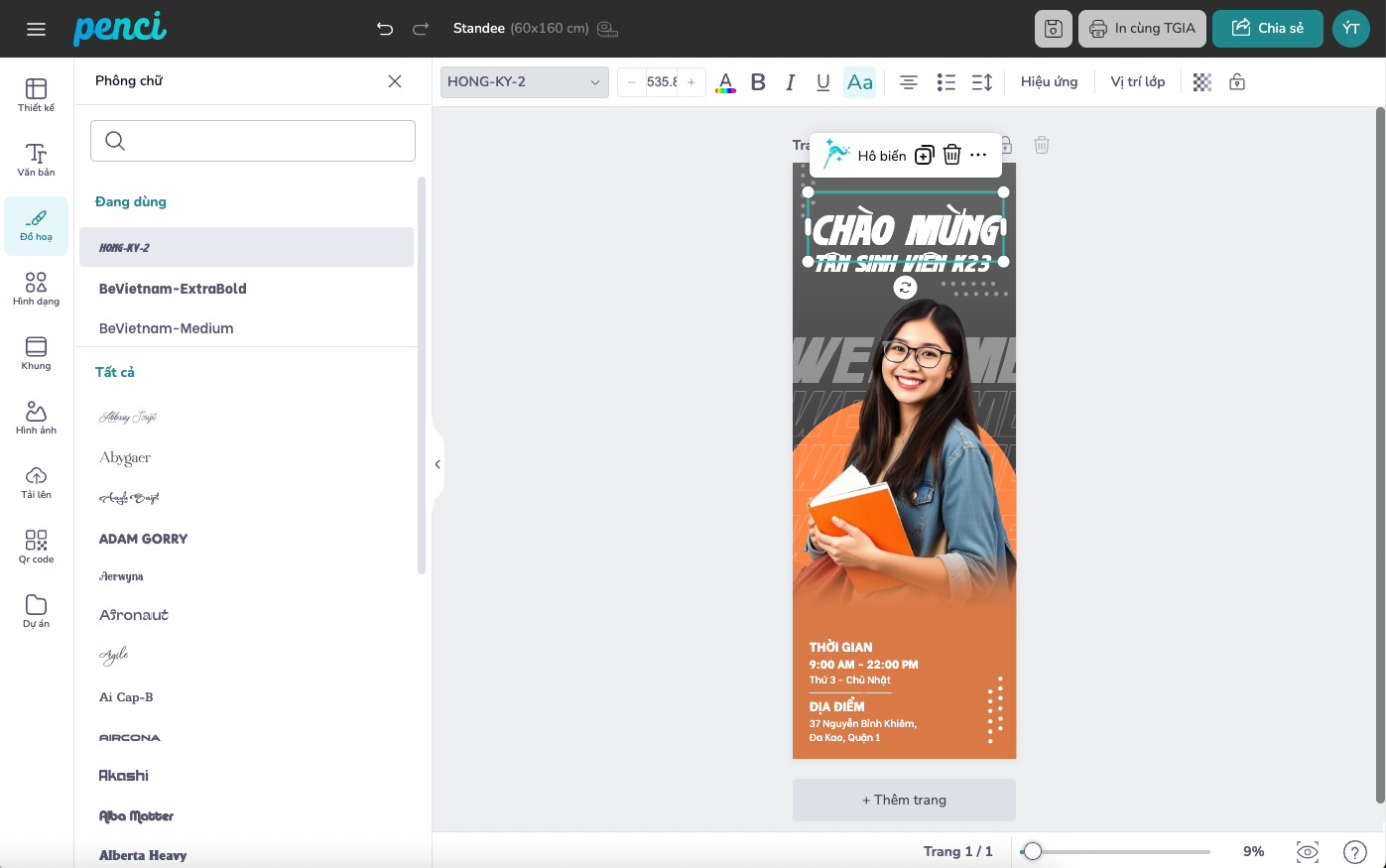 (Design interface with a standee template being edited with information)
Step 5: Place the Standee print order immediately after designing
Once the design is complete, you select “Print with TGIA” to place the order and receive quality products delivered on the same day.
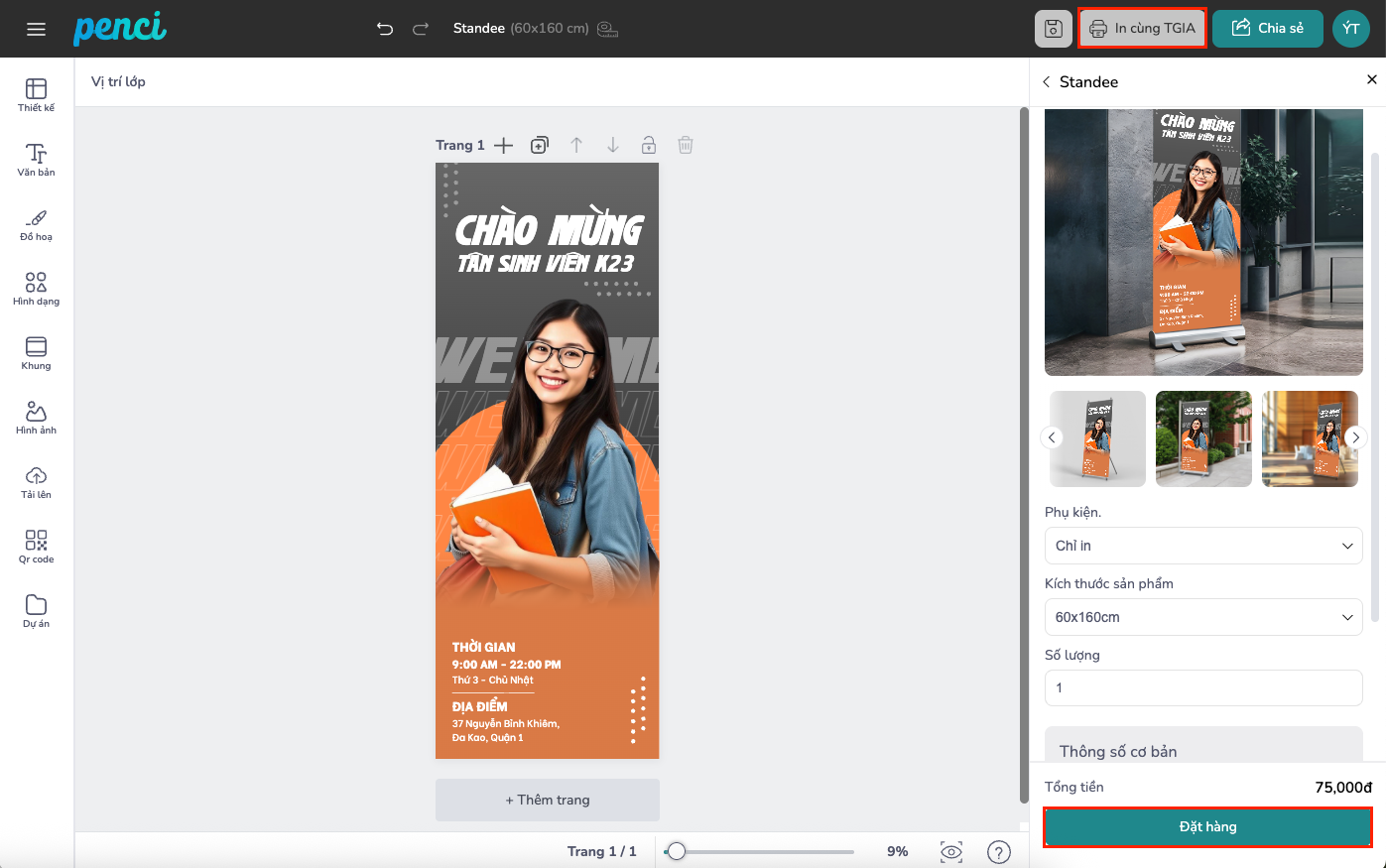 (Select "Print with TGIA" to see a demo of the actual product and print standees quickly)
Designing standees here has become simpler than ever with Penci. Whether you are a newcomer or not familiar with design, you can still create professional products to accompany you at every event.
Design and print standees here: Standee design template for events
Source: Penci - Design tools for Vietnamese people, for Vietnamese people
.png)













 Login with Zalo