
Payment methods
1. Direct Payment
Customers please come directly to Thegioiinan company to make payment at the counter:
- Payment by cash
- Payment by POS machine.
2. Online payment
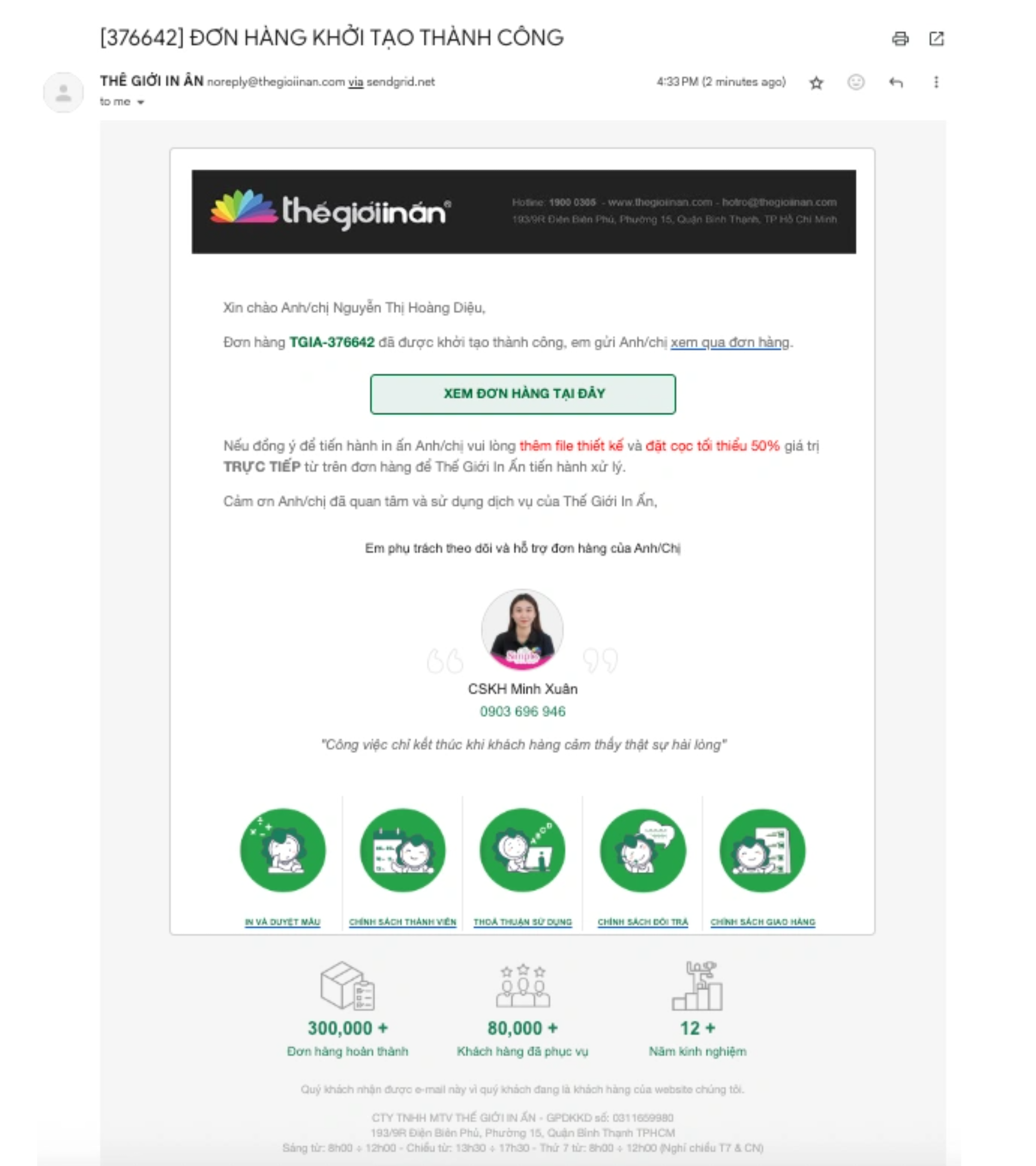
Step 1: Access your order by viewing the Order from Thegioiinan email or from the order management page on the website thegioiinan.com. After that, select "View order here".
Step 2: After selecting to view the order, in the order interface, customers click on Online Payment
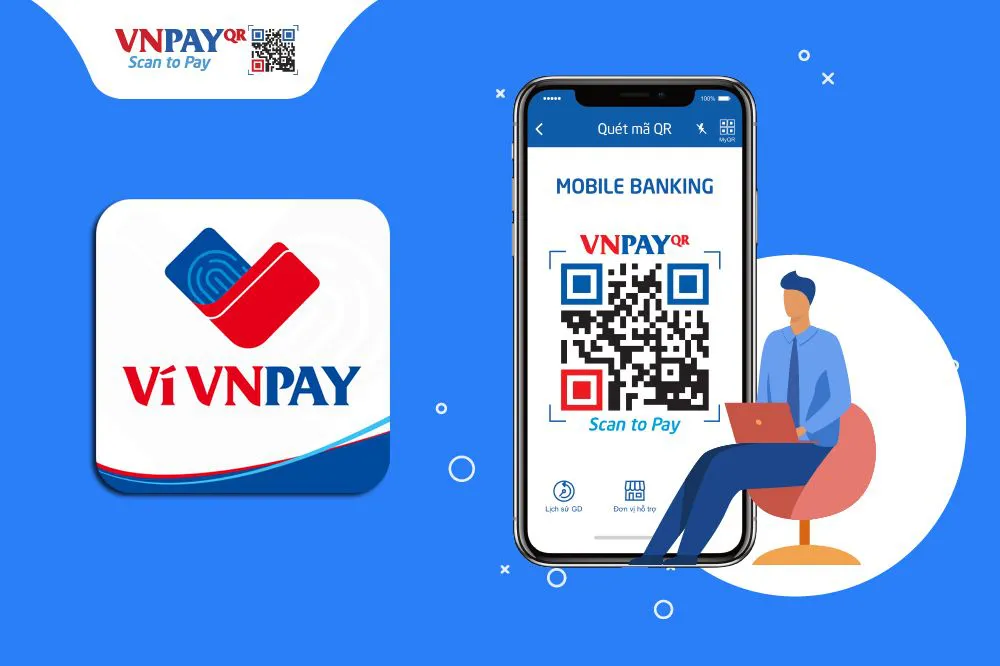
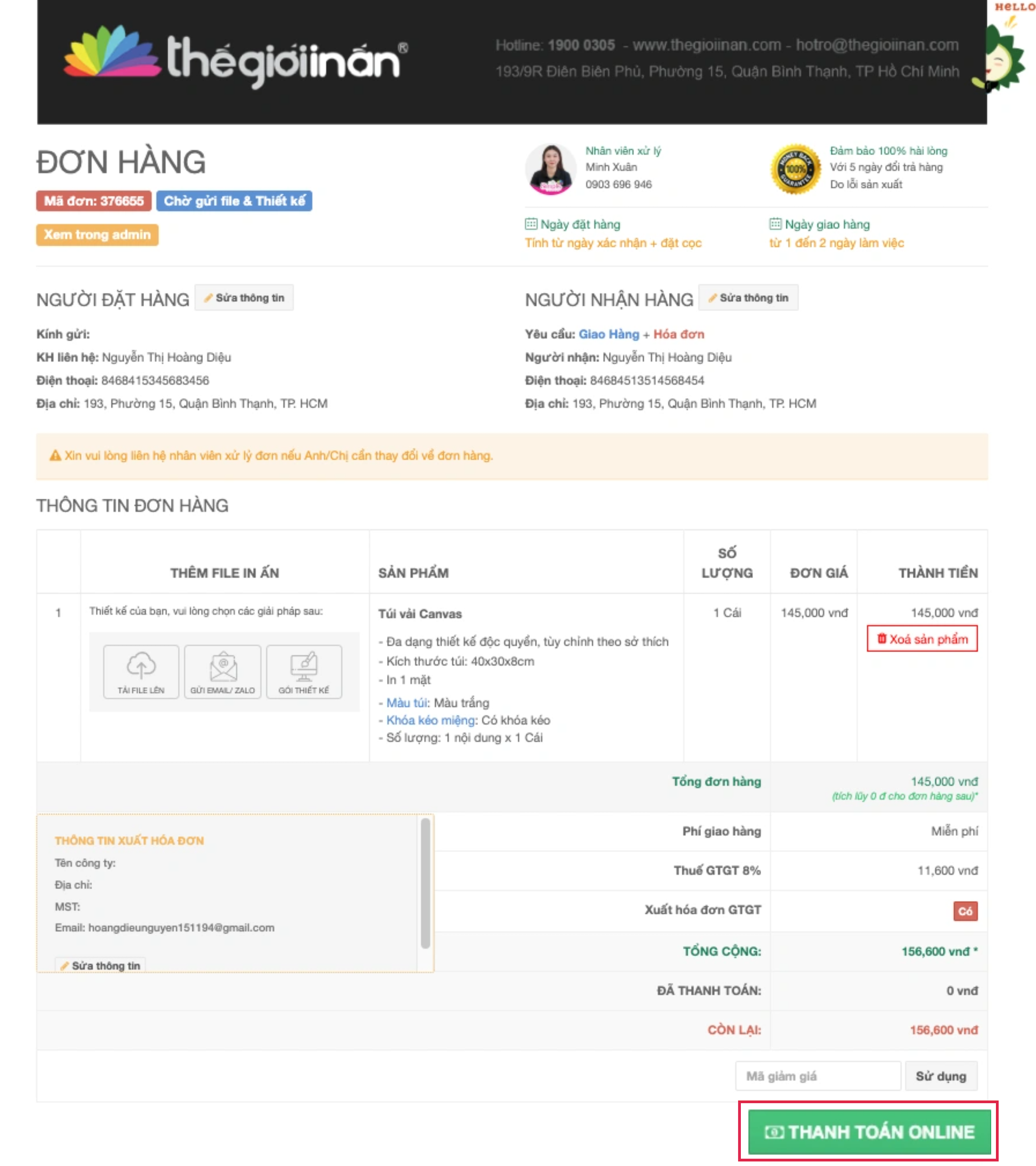 Step 3: In the payment methods, choose to pay by "Bank account and location card" or "International payment card (Visa, MasterCard, JCB, UnionPay) and proceed with the bank transfer.
3. Bank Transfer
With this payment method, customers can pay anywhere and at any time because internet banking/mobile banking is no longer far from us. Customers just need to access internet banking or mobile banking right on their smartphone and transfer money to Thegioiinan's account below:
|
|
|
|
|
MB Bank Account:93011768 |

Customers please note:
When performing the bank transfer, at the ContentCustomers write the transfer content as follows:
|
TGIA-MÃ SỞ ĐƠN HÀNG |
Example: Đthe order of the customer is 376655 --> Customers transfer with content: TGIA-376655
Note: Customers please transfer correctly according to the syntax so that the order is updated quickly.
Source: Thegioiinan

















 Login with Zalo