
How to create a beautiful, unique, creative Business Card template with free design tools Penci
1. Business card template library with various designs from the free design tool Penci
If you are not a designer or do not have time to create a design template, you can completely use the online design tool Penci. With the template library covering various fields such as Technology, Office, Education, Fashion... You just need to choose a template from the product catalog, replace the images, and enter your personal information. Thus, you already have a unique business card design that is beautiful, creative, and impressive.
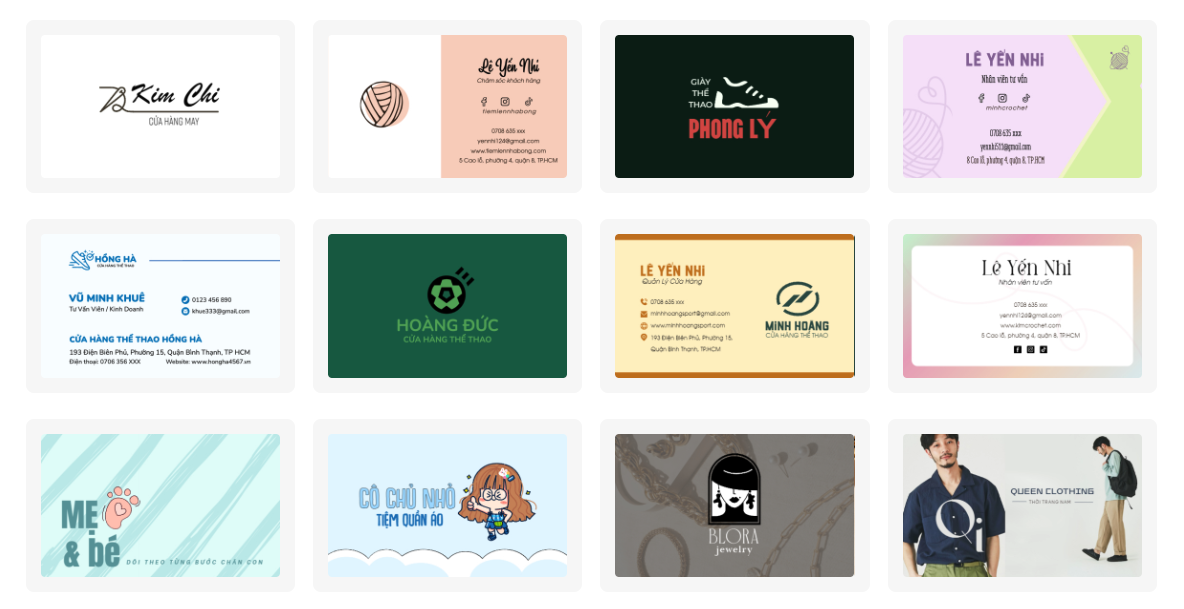
(Fashion business card template)
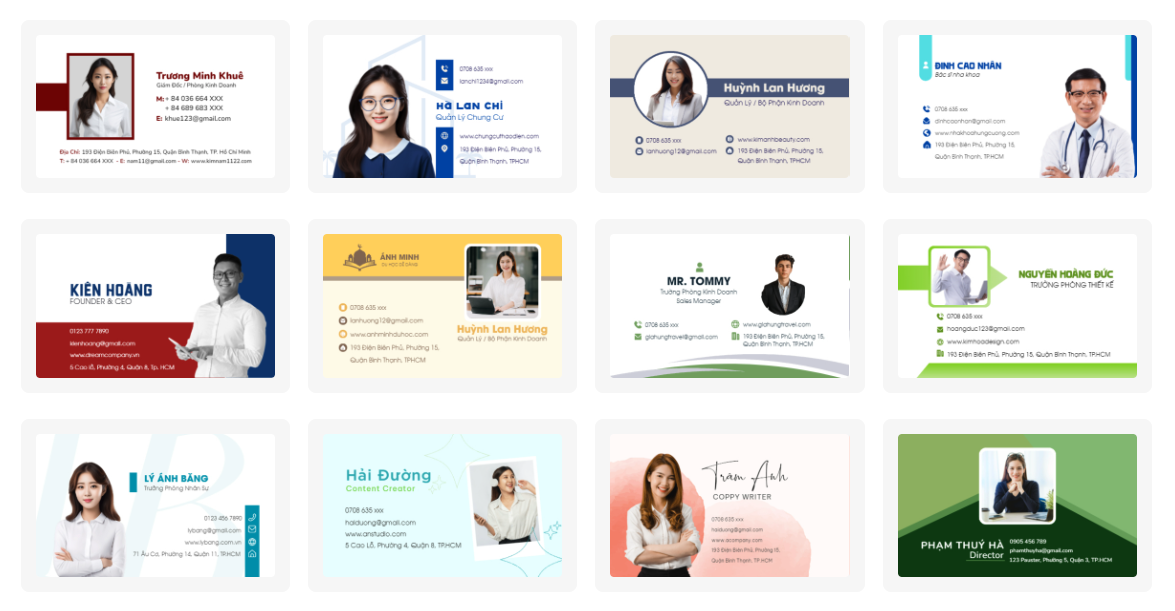
(Office business card template)
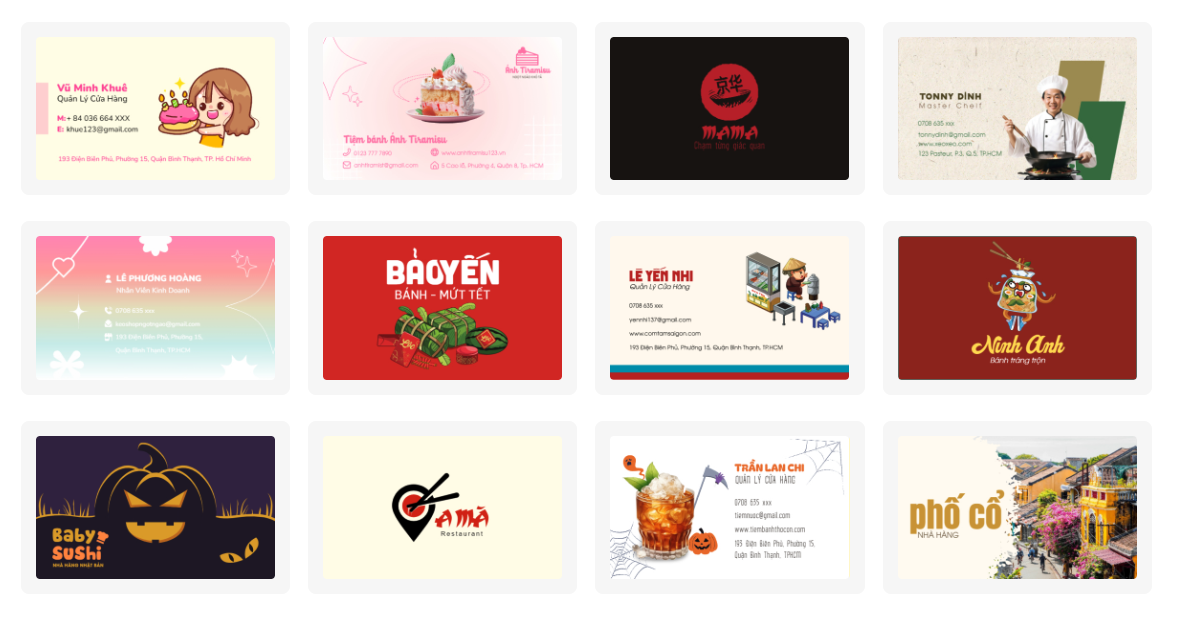 (Food business card template)
And many other business card themes, you can refer to here: https://thegioiinan.com/mau-thiet-ke-danh-thiep.html
2. How to create a beautiful, unique, and creative business card with the free design tool Penci
Even if you are not a professional designer, you can still "Self-design" completely free through the Penci tool.
Penci will provide you with various creative business card templates with different styles. Below, Thegioiinan will guide you to create your own business card with the 4 simple steps below:
Step 1: Log in to your account
You access the link: https://thegioiinan.com
And "LOG IN" to your account to use for free. If you do not have an account yet, you need to create an account by entering the required information.
After that, you enter "DESIGN YOUR OWN BUSINESS CARD" to go to the homepage of the online design tool, free of charge.
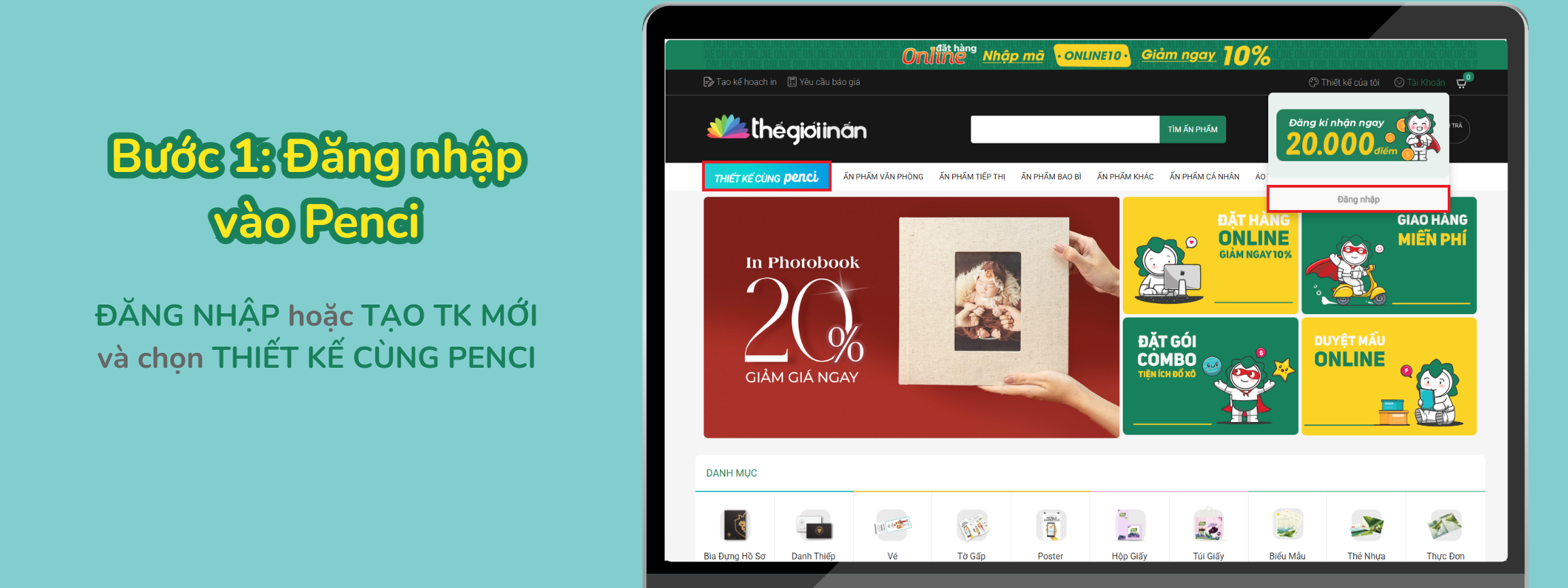
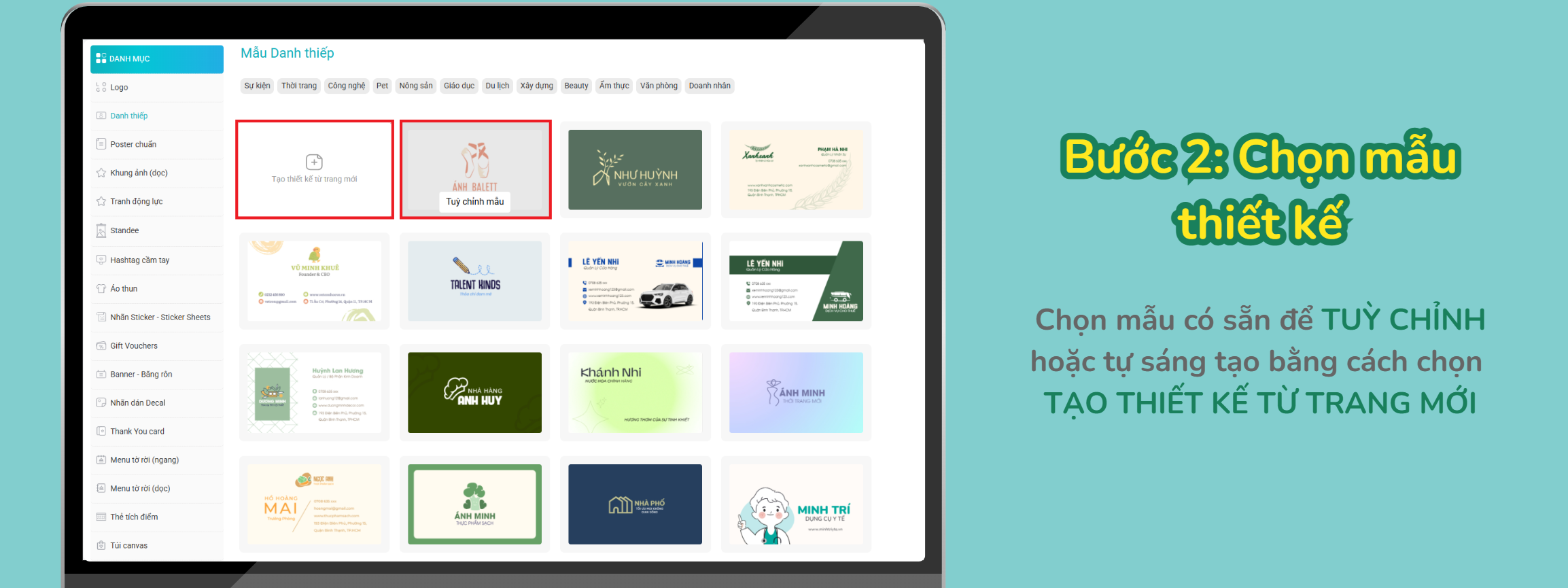
Step 2: Choose a template
On the Penci homepage, you will see many templates to choose from, with more than 12,000 design templates and products. This will help you have a product idea.
There will be many pre-designed business card templates categorized into different themes such as tourism, fashion, real estate, office,... when you choose "Business Card" in the product category.
Next, you can choose 1 from the available templates in the Penci library or create your own by selecting "Create a design from a new page".
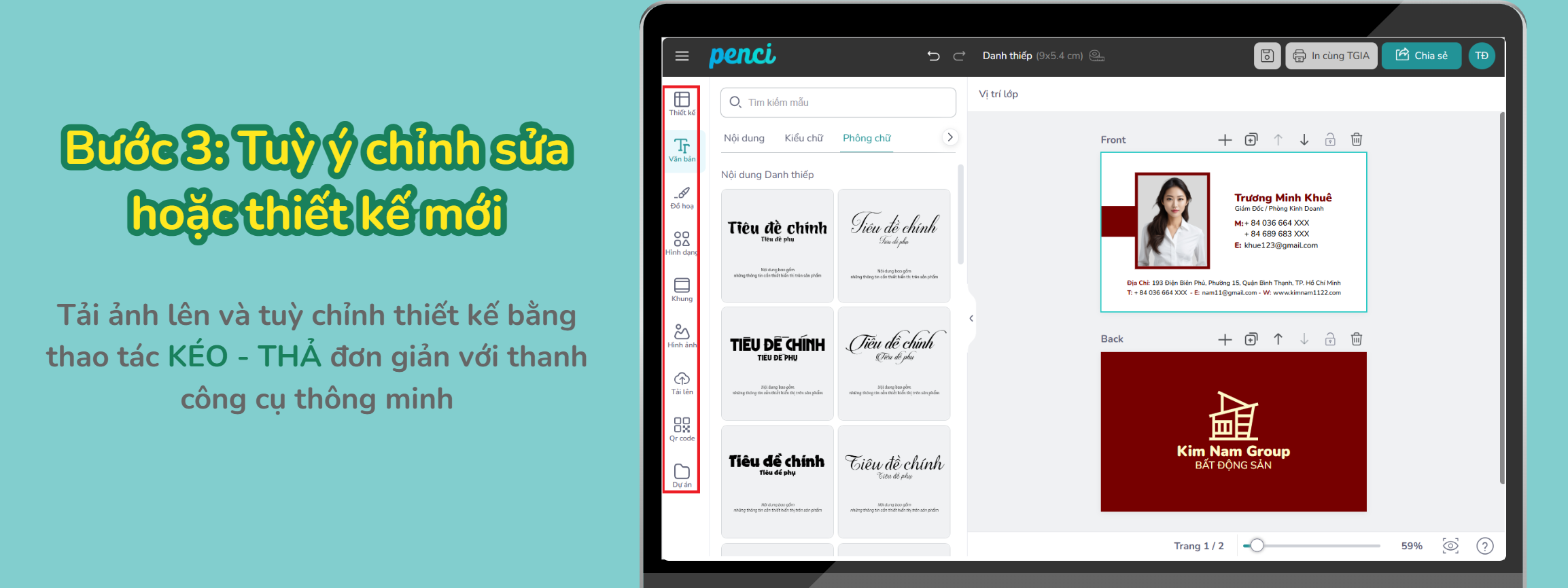
Step 3: Customize the template or self-design
With Penci's smart tools, you can freely create your business card in your own way with various themes, creative ideas. Just by dragging - dropping simply in a few minutes, you will have an impressive product.
At this step, you need to "Upload" your personal image and then replace, customize the content and information on the business card template. If you create new, you can use various frame templates, shapes, and materials from Thuận Việt,... to freely create a business card that you desire.
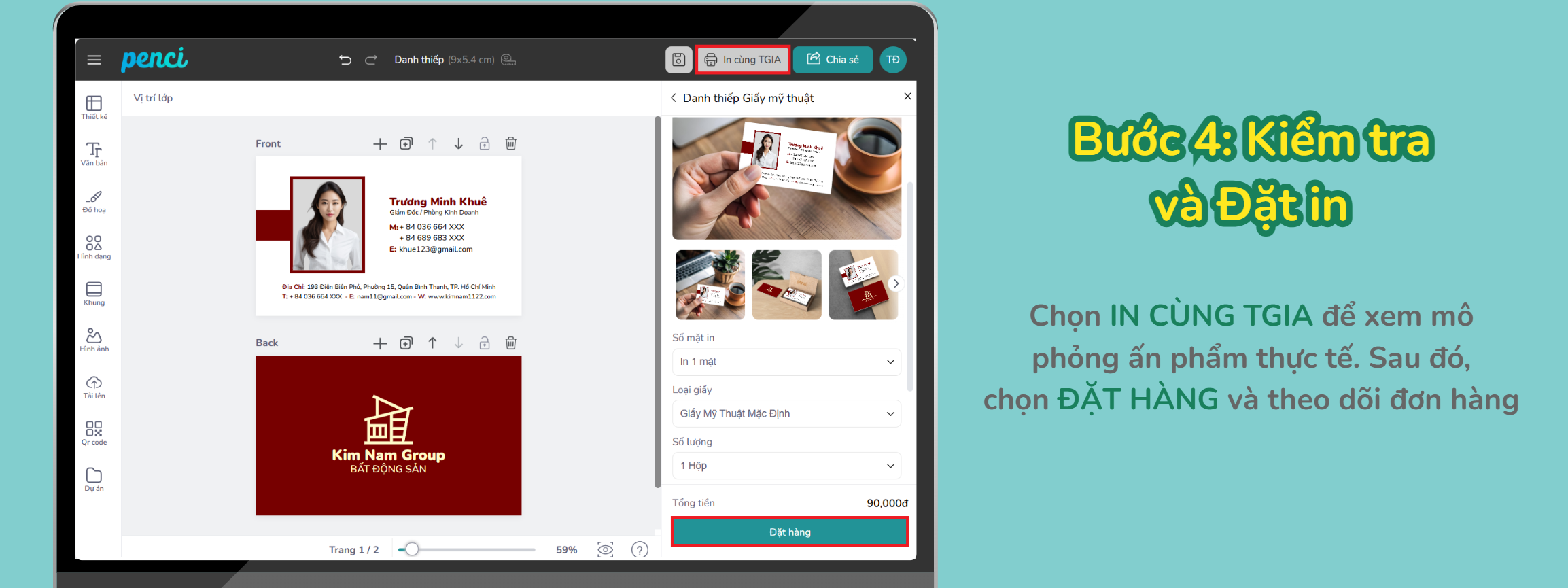
Step 4: Review and Order printing
After you have a perfect design, please select "Print with TGIA" to see the mockup and the requirements for specifications on the right side.
If there are no errors, you select "Order" and track the order until you receive the business card in hand.
4 simple design steps to get your product? After finishing the design, if you need to get the product quickly, Thegioiinan has the Print Now service - print and pick up in 2 hours. Simple and convenient for same-day service, but remember to pay attention to the quality of the business card you want.
Click here to experience "Self-design" and place your business card printing order:https://thegioiinan.com/mau-thiet-ke-danh-thiep.html
Source: Thegioiinan


.png)














 Login with Zalo