
Guide to self-designing professional business cards, creatively using Penci
1. Can you self-design a business card?
A business card is a brief summary of contact information of an individual or organization. It is an essential part of the branding system to enhance the professionalism and credibility of the individual or business. But you might think "to have a beautiful business card design will take a lot of time or cost a certain amount of money to hire outside?". At Penci, this becomes easier than ever, especially with free design and template usage. Penci will help you:
- Save time and costs:No need to hire a designer, you can still create a beautiful, standard business card by yourself. You will have an instant "on-trend" business card template in 5 minutes with the smart drag-and-drop tool, easy to use from Penci.
- Customize according to personal style:Whether you are a freelancer, office worker, or business owner, Penci will help you flexibly choose templates, edit content, add logos, and colors that represent your brand.
- Increase professionalism and brand recognition:A business card is the first impression of you with others. A well-chosen, clear design helps you stand out. Therefore, the available business card templates from Penci will be a suitable choice for you.
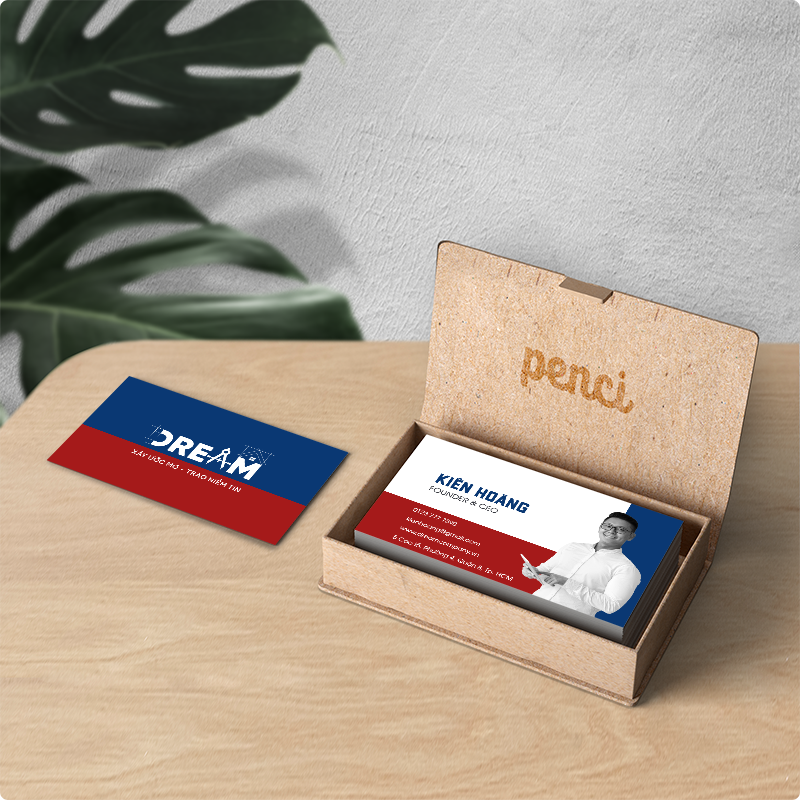
See more now:Points and types of business cards
2. Some tips for you before designing a business card
- First, you need to determine the content to be printed on the business card: name, position, contact information, company logo... choose colors and fonts suitable for the industry, personal or company brand.
- The trend of modern business cards will prioritize simplicity, easy to remember, contain less information, and can add a QR code to integrate more information about the business inside.
3. Guidelines for designing business cards with Penci
Step 1: Log in to Penci
Access https://penci.vn/, log in with your Google or Zalo account to start "Create Design".
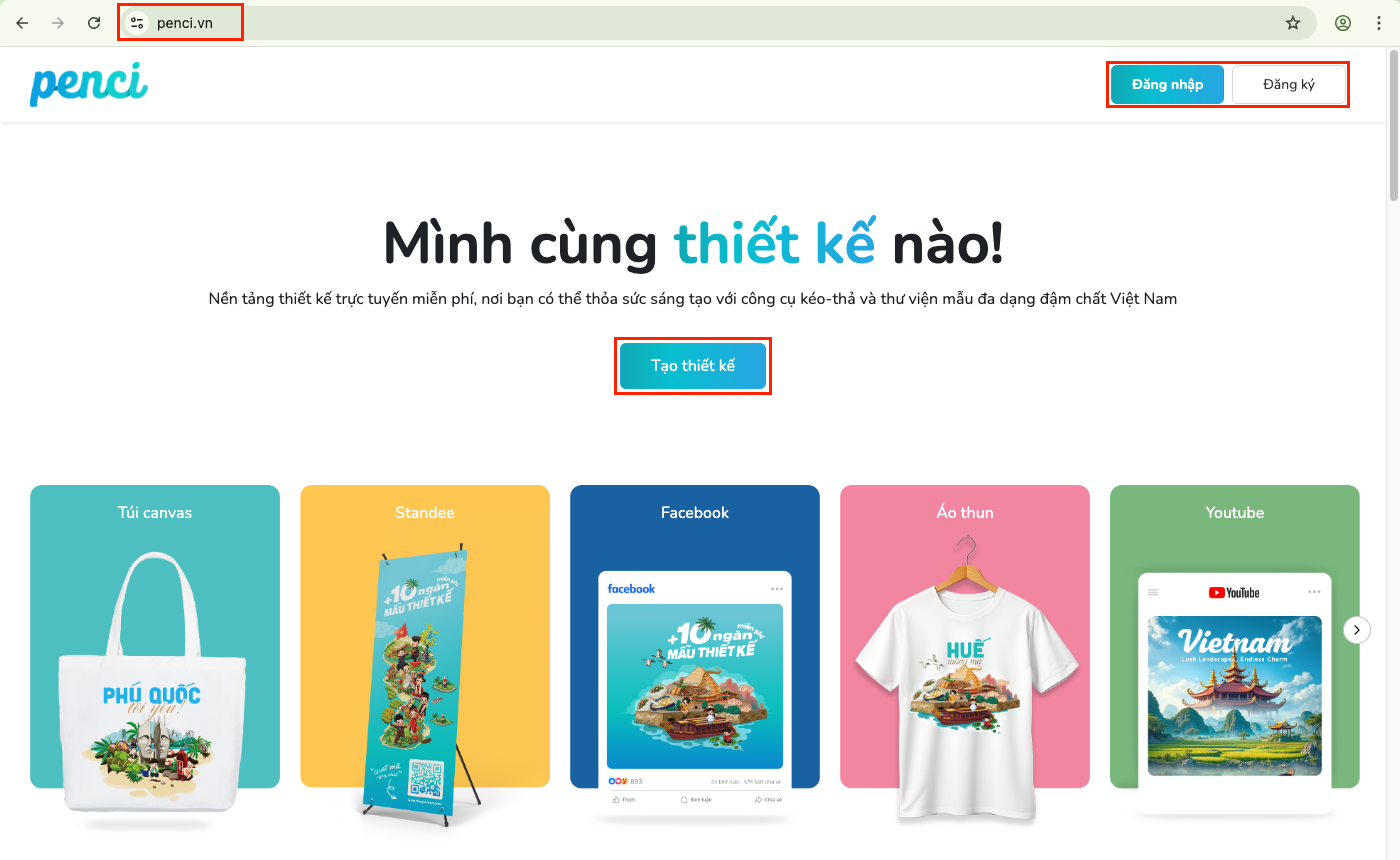
(Log in or register an account to self-design Business Cards with Penci)
Before 2: Search for the product you need to design, print
At the free online design template library of Penci, you have 2 ways to search for the product you need to print:
- You select "Business Card" in the "Categories" section.
- Enter the product name "Business Card" into the search box.
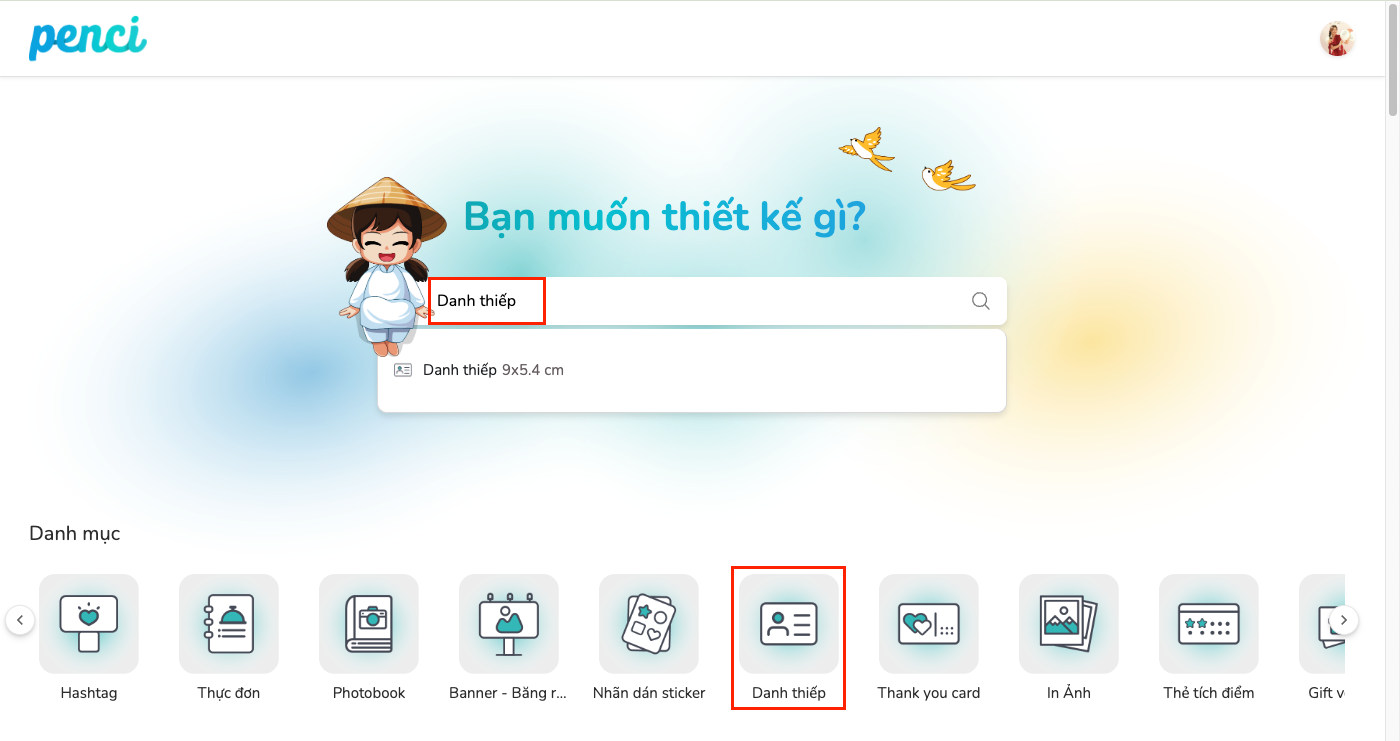 (Select the Business Card category to view and use the free template library)
Step 3: Choose a design template for Business Card from the Penci library
Here, you can completely choose and use the free templates for Business Cards that you like. After that, select your chosen template and “Use this template”.
If you prefer creativity, want to personalize the product according to your own preferences, choose "Create a new Business Card".
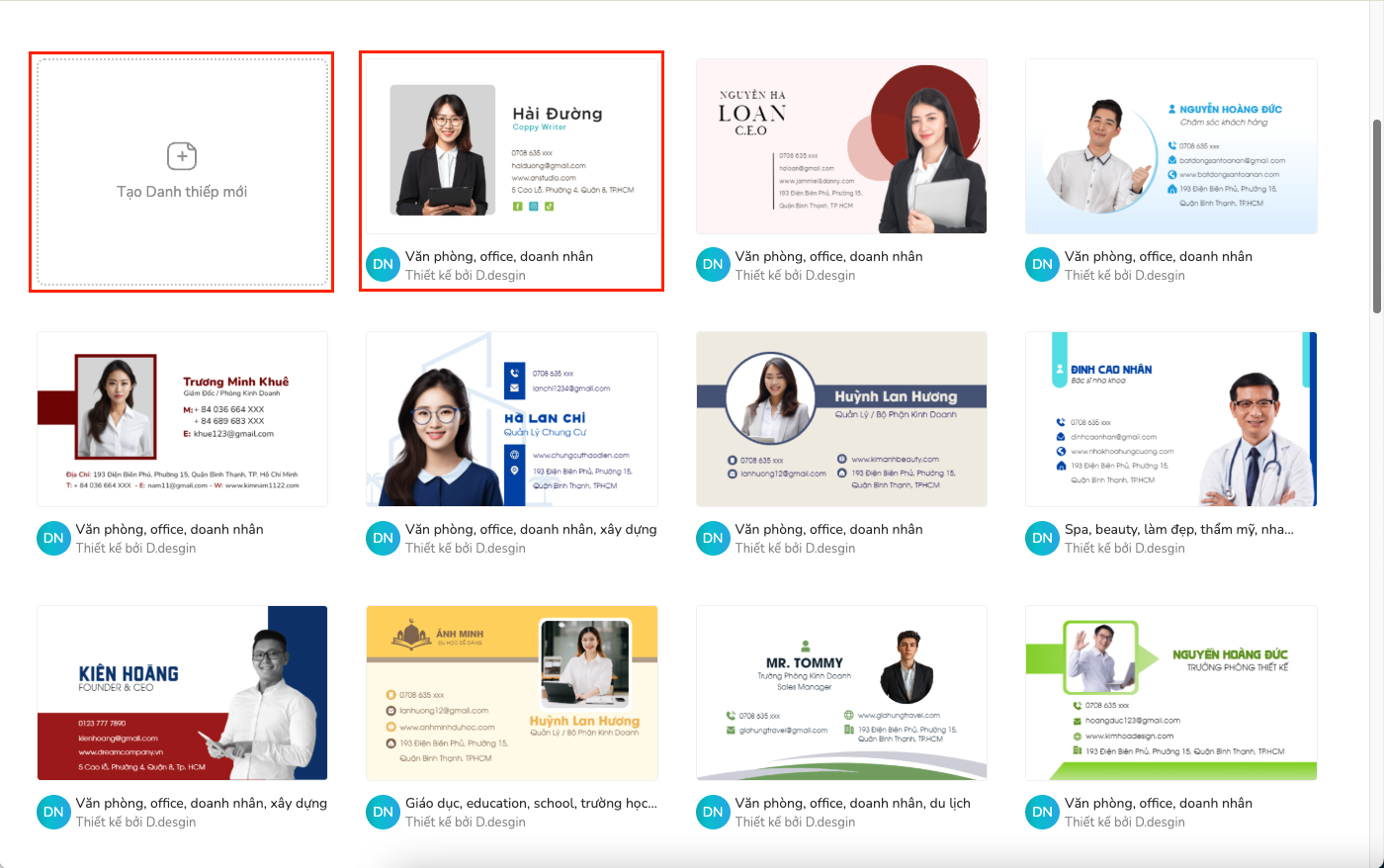
(Choose a design template to customize or create a “Create a new Business Card”)
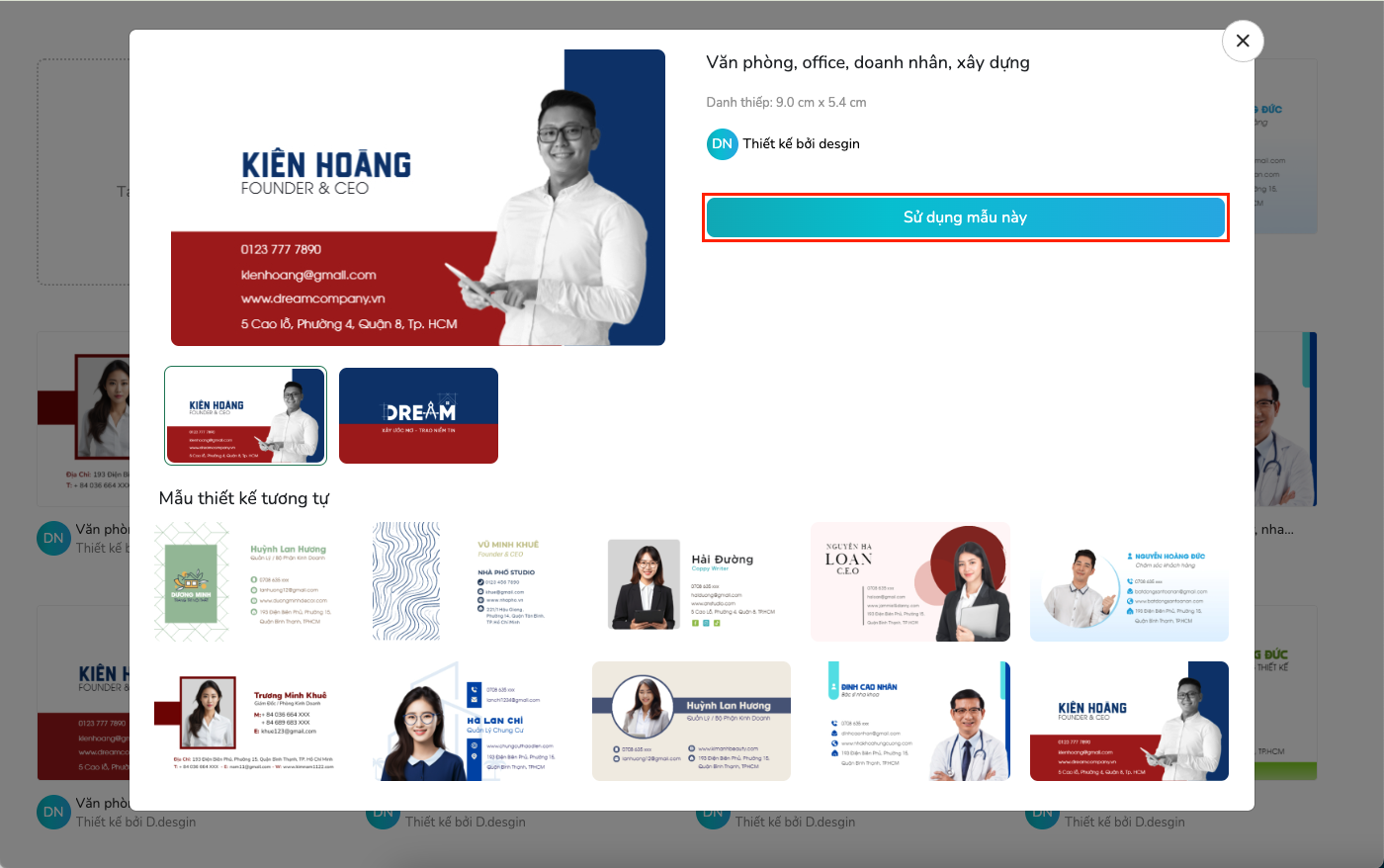 (Use and customize the template according to your preferences)
Step 4: Edit information as needed using smart features
You can easily change details by clicking on them. Enter your name, position, email, phone number, address…; change logo, avatar, QR code; adjust colors, fonts according to your wishes.
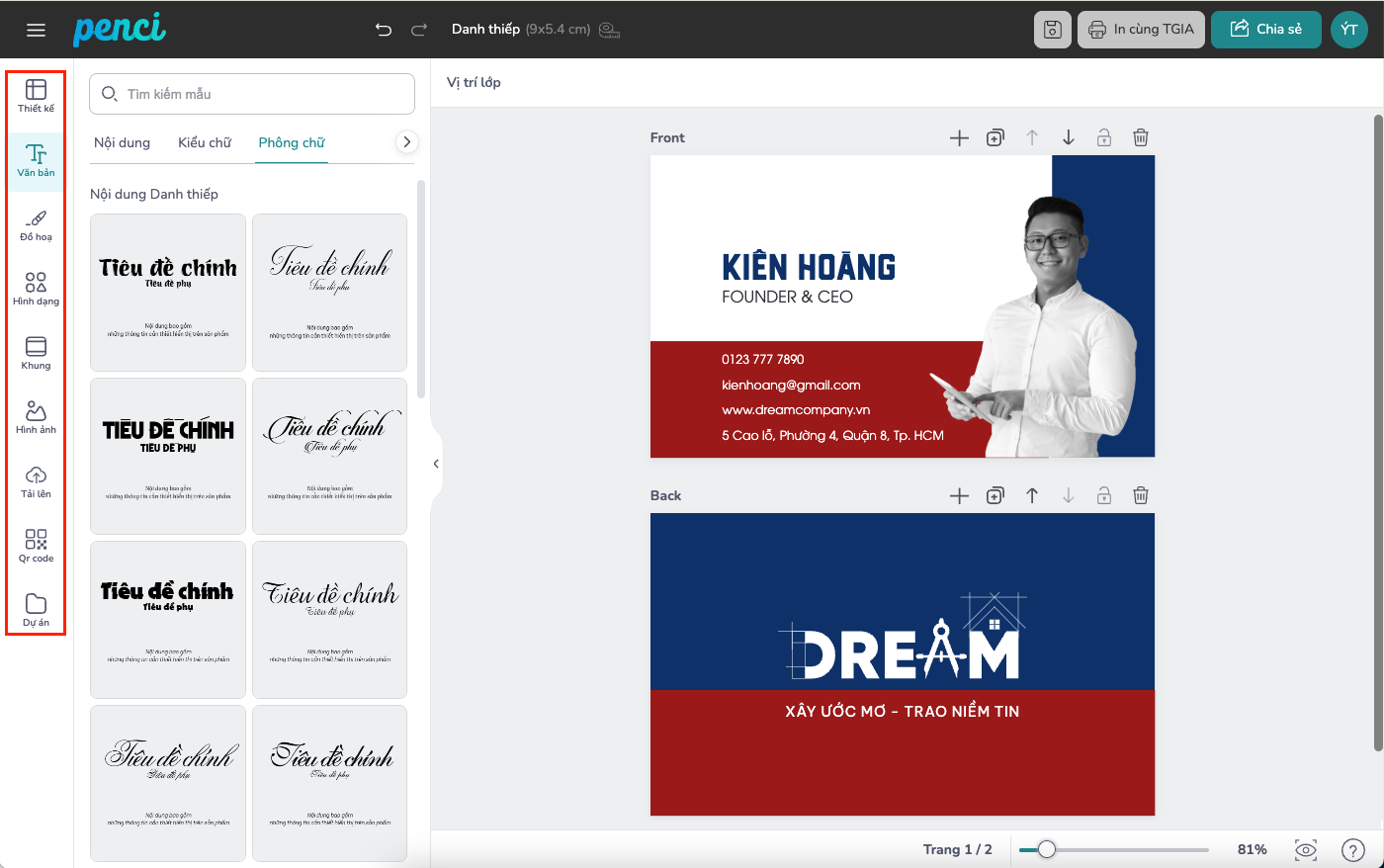
(Business Card design interface, direct view of Penci)
Step 5: Save and print business cards
When finished, you can:
- Save the design for later to edit or print
- Or click “Print with TGIA” to print quickly and receive Business Cards within 2 hours.
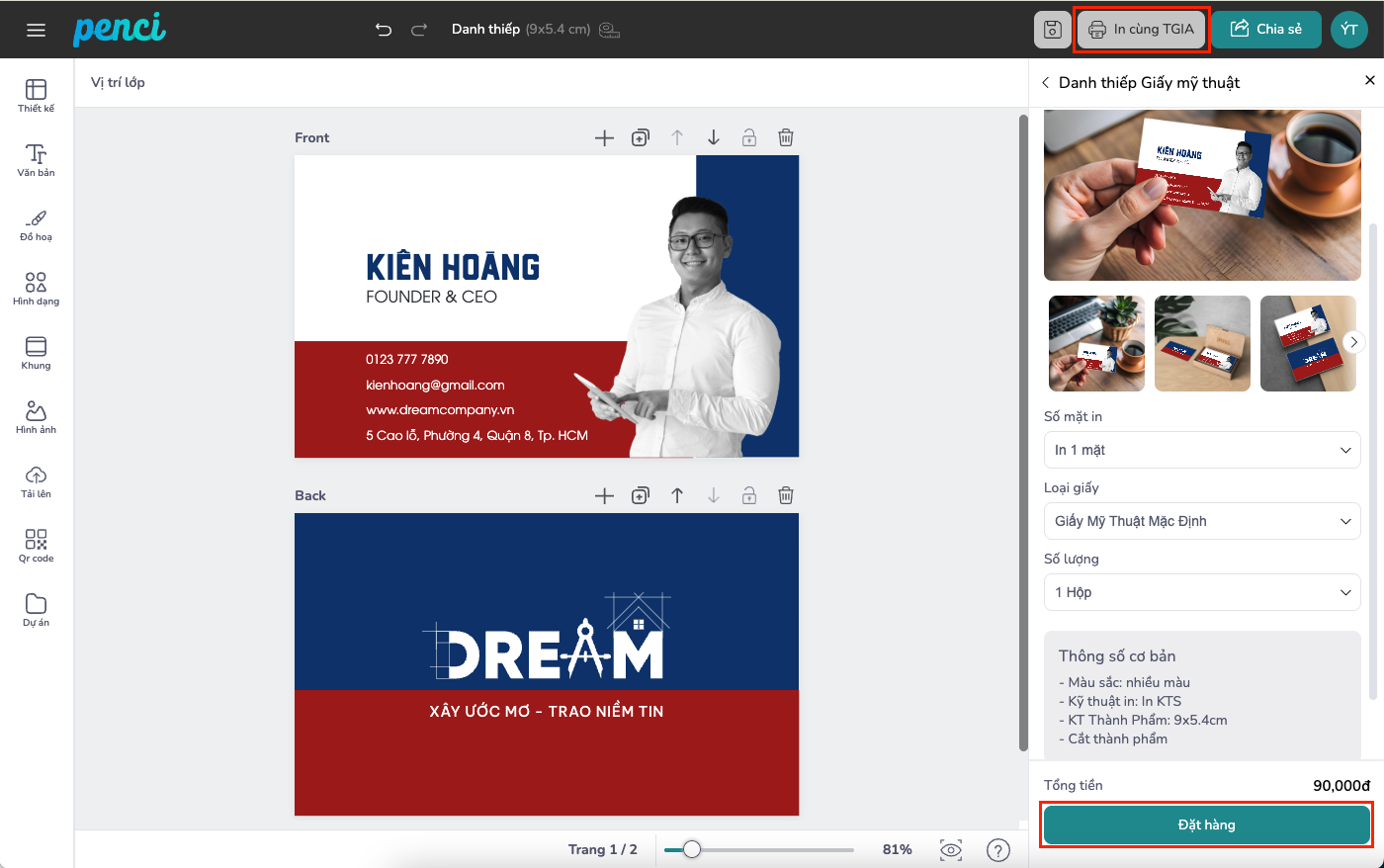
(See demo of the product and specifications of the business card before printing)
Penci helps you easily create a professional personalized business card design in 5 minutes, completely free and no design skills required. Start designing now to create a unique product with partners, customers!
You can experience free Business Card design here:Business Card library
Penci - Design tool for Vietnamese people, for Vietnamese people


.png)
.png)
.png)












 Login with Zalo