
Choose a template to receive the product: TGIA helps you actively print how?
You will receive the printed product for a program, a store launching a promotion or choosing a gift for someone special. The idea is already there, the usage is already defined, but the printing part still has many questions: where to start the design, what method to choose, how much the cost is, is the print file as expected and when will the order be delivered?
For those who do not frequently place print orders, what is essential is to know what you need to prepare and how to control the budget. From the design with Penci, the quotation according to the configuration to check the file, print test and track the order, Thegioiinan helps you from the beginning to the finished product, actively printing!
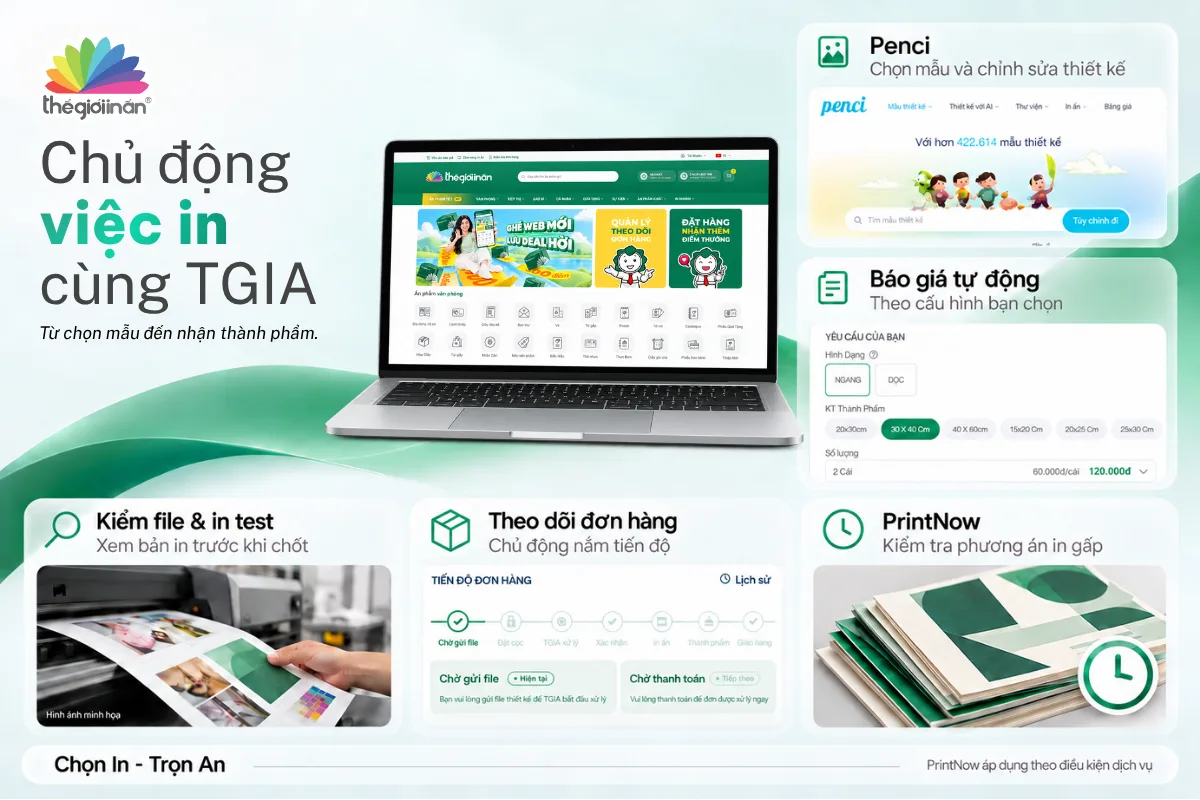
1. No design yet: start with Penci, complete with the whole team
You know you need a poster, a brochure or some products for the program, but you don't know how to start to be beautiful, to convey the right message. If there are many people involved, sending images, contributing ideas and editing through many conversations can make it hard for you to determine which is the final version.
Penci.vn help you have a direct point of contact and a place to complete the design is the starting point to actively print.
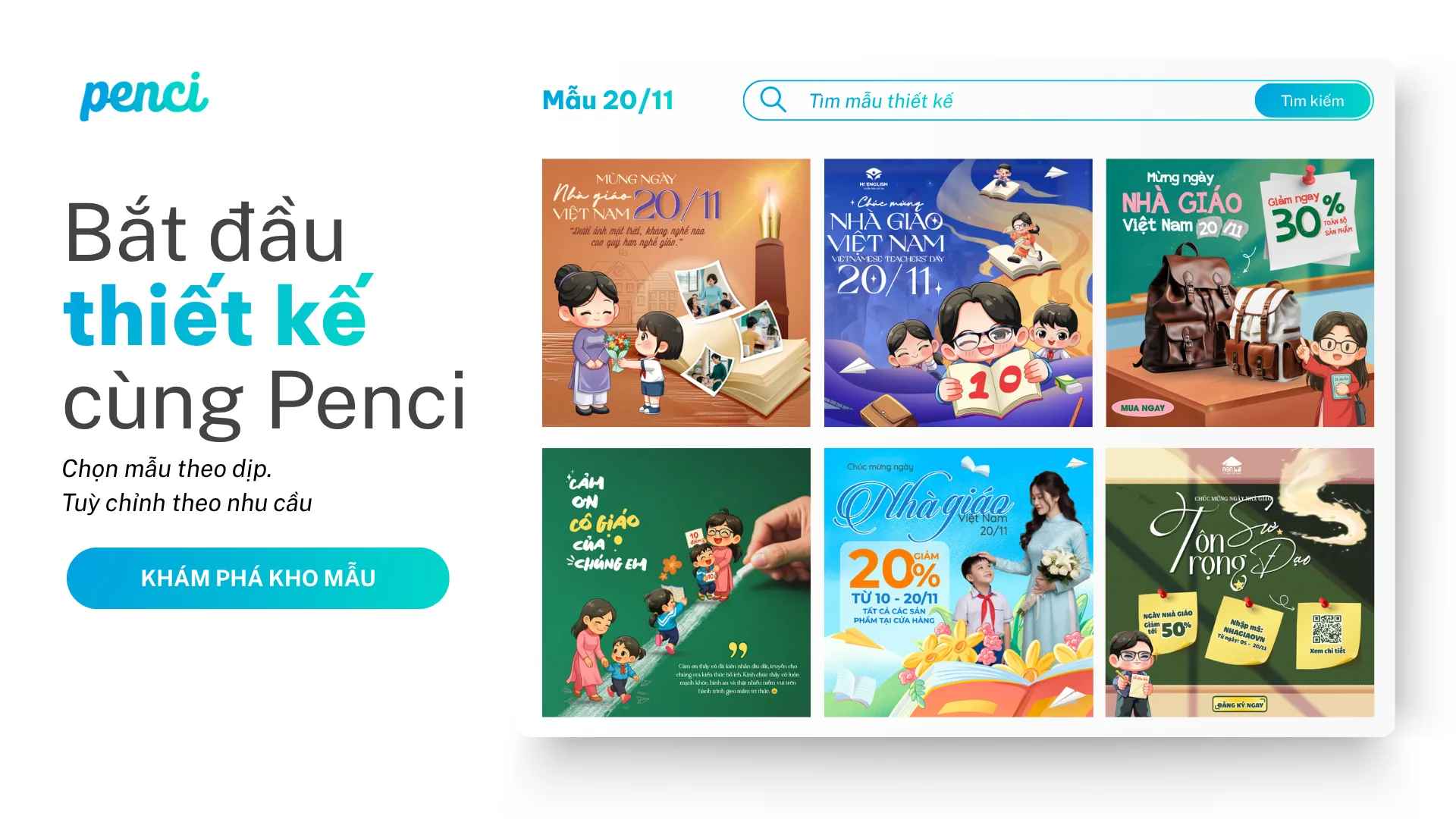
Find a suitable template, not having to think every time from the beginning
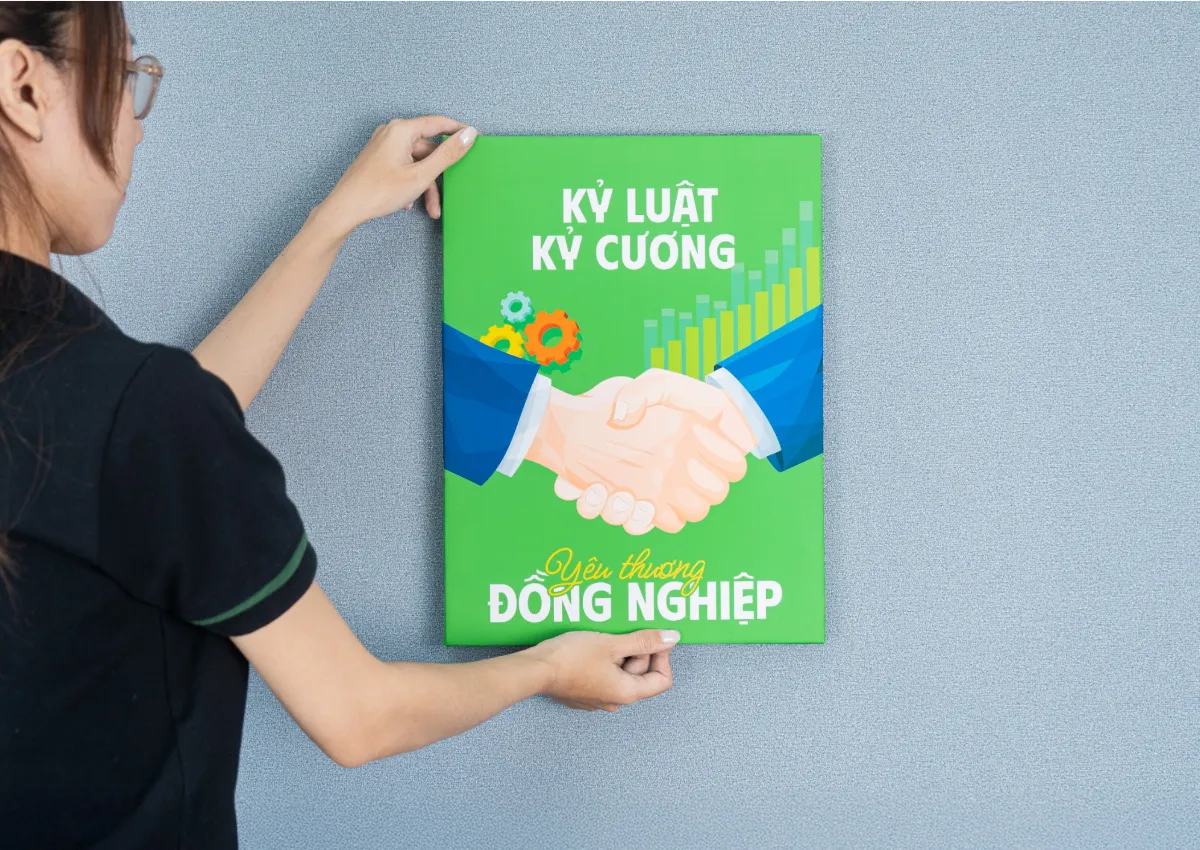
A diverse template warehouse, updated according to the season and usage trends helps you refer to the layout style before starting to implement. From posters, standees, hashtags to brochures and photobooks, you can choose templates close to your needs and then change the content, images, colors to be suitable.
In short, when preparing for the program on November 20, the organizing committee can start from the welcome poster template, then choose various brochure templates and hashtags with a trendy style. Note that there is a general direction, the products should be kept consistent.
Before choosing a template, please prepare three groups of information:
- Purpose: Product used for advertising, presentation, display or gifting?
- Content: main content, program name, month day, logo and images to be used.
- Space: project dimensions, placement and distance from the viewer must be considered.
Design online, also work through a link
You can edit text, images and backgrounds directly on Penci. When working in groups, share a design link to help team members access the draft, limiting file resending and version confusion.
Please select access rights by task:
- Viewer - view rights: for those who need to view and approve the design.
- Editor - edit rights: for team members to directly edit content, images or backgrounds.
For example, the project manager can view the design draft to approve information, while the image manager is granted edit rights. Before sending for printing, the team must confirm the latest approved version.
Can add creative materials with AI
When lacking suitable images, you can use Penci's AI image generation tool to develop images from conceptual models. Tools like background removal and image enhancement assist in preparing design resources.
For images with personal meaning like portraits, product shots, please prioritize suitable original images. The tool helps you refine layouts, ensuring proper alignment, product accuracy, and desired transitions before sending for printing.
Complete the design, how to send it to the printer?
You can export files or send directly via design link, optionally compatible with TGIA:
- PDF: suitable for retaining backgrounds and exchanging multi-page designs.
- PNG: suitable for sending design images, but must check dimensions and resolution before printing.
- Penci Link: permission Viewer if you only need to view; permission Editor when you need to collaborate to edit.
Penci has the option to download a high-quality PDF for sharing and sending. However, the viewable file does not necessarily meet all printing requirements; please send to TGIA to check the format, size and quality suitable for the product.
2. Not yet decided on the method and calculate the cost: see the quotation according to the configuration
When the design has a direction, the usual follow-up question is: “How much does it cost to print like this?” However, with the same design template, changing the size, material, quantity or processing will create different solutions.
On Thegioiinan website, you can choose products, set up specifications supported and view quotations according to the configuration. The cost is close to the selection criteria to help you have a better understanding, instead of just receiving a random number without knowing where to adjust.
Please start from the product completion task:
- For viewers to see: determine the placement, distance to the edge and suitable size.
- To use conveniently: consider the new environment indoors, outdoors, usage time and installation method.
- To give a perfect gift: check the quality, feel when touching and how to complete.
- To compare the budget: compare the quantities, sizes and processing methods.
For example, preparing for November 20, a poster for the event at the store and a special invitation for the teacher with different purposes. Understand the goal to help you focus the budget on the details that create value for each product.
If you do not know which specifications to choose or have specific requirements for the design, you can send your needs, reference images, quantities, and usage dates to TGIA for further consultation. You do not need to understand printing terminology to start placing an order.
3. Already have a file but not sure it can be printed: check before confirming
A clear design on the phone can be a point of concern when printing large formats. The content placed too close to the edge can be affected when cutting the product. These are issues for those who do not often create print files to avoid errors.
Checking the file helps identify issues that need to be addressed before sending the design to production. When placing an order, you can choose TGIA's quality check service to verify the file quality and resend the proposal for confirmation according to your product selection.
When sending files, please provide additional:
- Product size: to check if the file is compatible with the printing size.
- number of faces, number of pages or templates: to ensure the content is fully realized.
- Important requirements: areas that need cutting, folding, keeping details clear or specific details that need to be preserved.
- Approved version: avoid using the wrong old file during the exchange process.
With the program 20/11, technical errors can cause issues, but incorrect names or wrong dates can also lead to misunderstandings. Therefore, TGIA supports checking printing capabilities; the person placing the order must carefully review and confirm the content accurately., the details are the name, address, phone number, and QR code.
4. Want to know how to print the actual version: need to test print before making a large quantity
After the file has been checked, you can still confirm: what color will this be printed on, is the image clear enough, is the font readable?
The test print helps you have a real print sample to review before deciding to implement a large quantity. This is a crucial step when the product has high requirements regarding image quality, color accuracy, or is used for an important event.
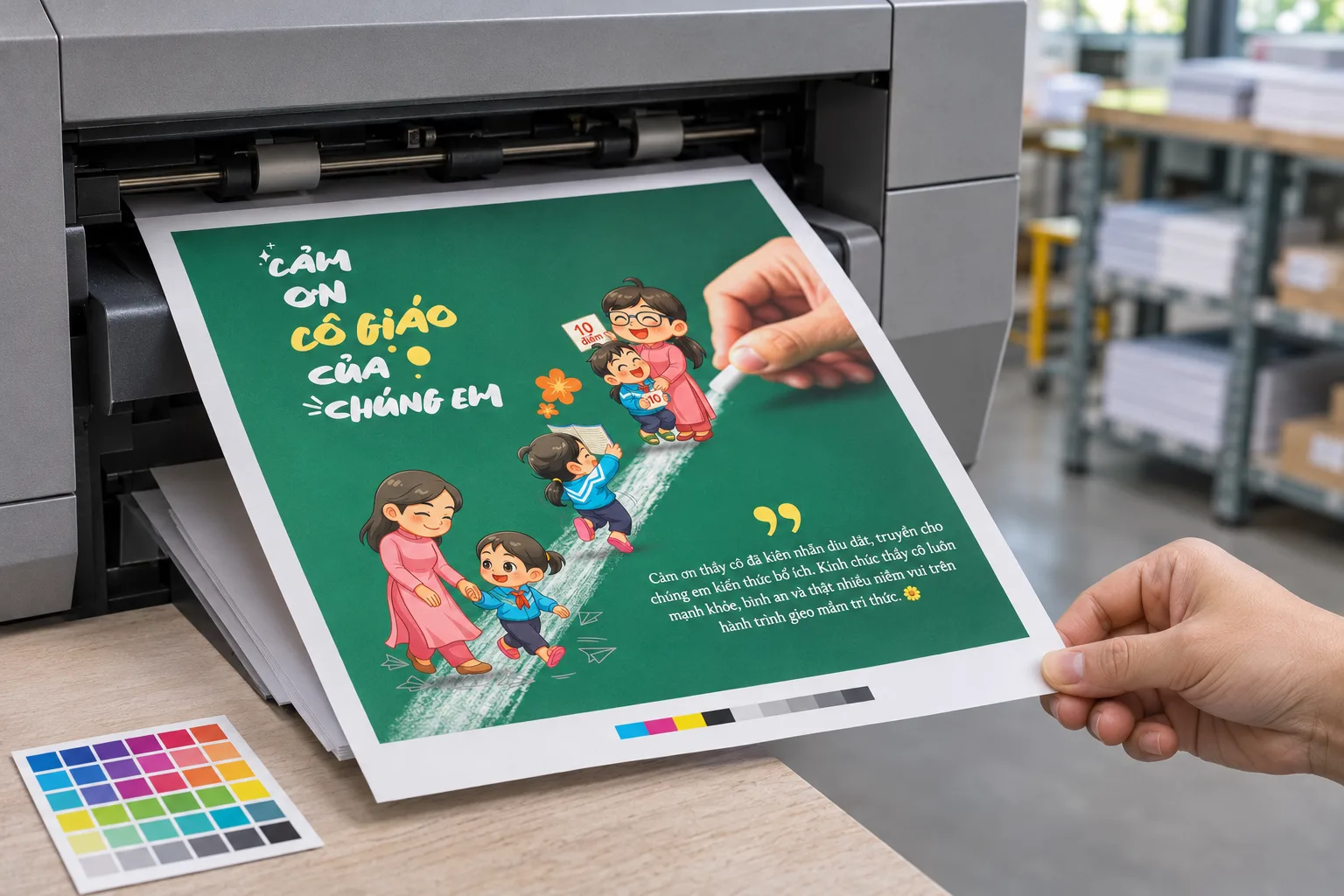
When discussing the test print proposal with TGIA, please clearly state what you need to check:
- Image: clear color, details, and accuracy.
- Color accuracy: important colors in the design or brand representation.
- Readability: font size, contrast, and layout.
- Material: the actual feel if the test print is implemented on the intended material.
In general, before printing the invitation card for the whole class, review the test print to help the responsible person evaluate whether the text is readable and the images are appropriate for the program's spirit or not.
Please confirm the specifications, costs, and time for the test print. If the test print has different quality or processing methods, it is necessary to clarify the scope that can be adjusted with the final product.
5. Place an order online and track the progress: know where the order is to actively follow up
When the proposal has been confirmed, you need a place to finalize the order and monitor the implementation process. If the information is scattered in many chat segments, finding the file, specifications, or order confirmation can waste time.
Online printing helps you easily choose products, provide files, and check order information before confirmation. For designs, the product is supported, Penci also has the option 'Print with TGIA' to directly transfer from design to print order.
Before completion, please confirm:
- Product, size, material, quantity, and processing costs.
- The design file or the provided link has been verified.
- The date of use and the method of receiving the order.
- Any costs, file checking requirements, and content that need to be confirmed additionally.
After placing the order, you can access Check order to track the current status of the implementation. TGIA's management system helps you monitor the order processing, from there arranging related tasks.
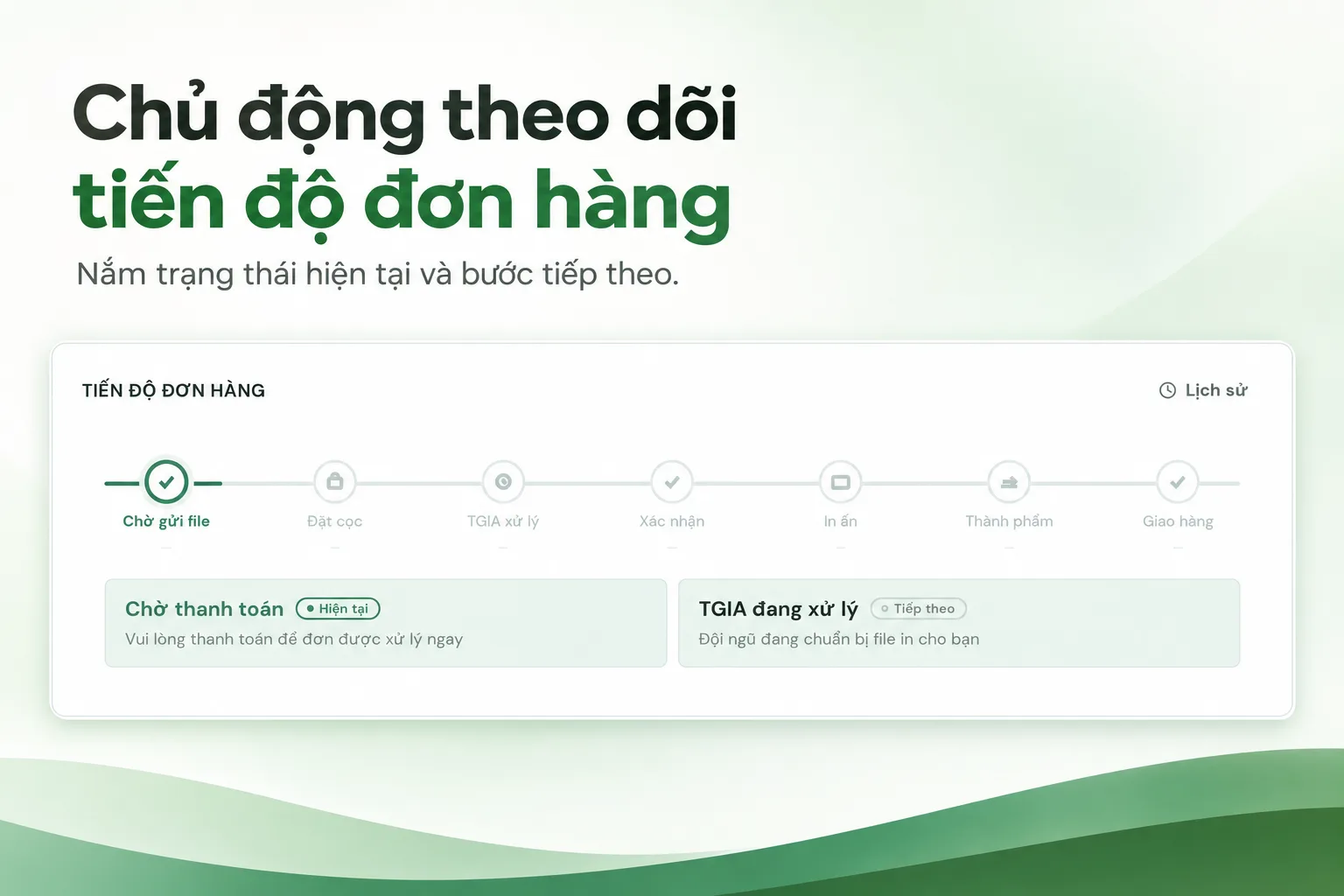
For the organizational board, that is the time to prepare the setup and arrange the space. For the store, that is the location to display the program or package gifts. For individuals placing personal gifts, that is the plan for receiving and delivering appropriately.
From the beginning, please distinguish between the date of the product completion and the date of the event. A program scheduled for November 20 may need to receive the final product earlier to check, arrange or finalize the gift.
6. There are urgent prints needed: check the PrintNow option
The plan may change: adding new guests, needing additional details, adjusting information or generating additional products on the day of use.
For appropriate needs, PrintNow 2 hours is a method for you to collaborate with TGIA. The implementation time needs to be confirmed based on the product, quantity, file, and conditions of the order; the second hour is calculated based on the conditions confirmed in the order and completed according to the service.
To quickly check the plan, please send along with the time the product to be printed, quantity, current file, required receiving time and delivery address. This information helps TGIA evaluate the ability to meet and suggest suitable options.
____________________________________
Clarify the budget before printing, actively printing!
A selected product should start from the purpose of use, perfect the design, choose suitable specifications and confirm the important details before production.
During the November 20 season, it could be a poster for guests, a hashtag to keep memorable moments or a thank you card for teachers. At other times, it is a product launch, sales program or gift items for loved ones. Regardless of the occasion, you need to know what you are choosing, how much it costs and where the order will be fulfilled.
TGIA helps you complete the printing task, ensuring peace of mind from selection to finished product, focusing on the printing task!
Start from Penci sample warehouse if you need design advice, or access Thegioiinan to choose products and view quotations. If there are still details, please send your needs, quantity and date of use to get a suitable quotation.
The Gioi “IN AN” - Choose Printing on An.












 Login with Zalo